We tested and ranked the best coding apps of 2026 so you can learn to code on the go and practice programming in your spare time. Whether you want to brush up on Python syntax between meetings or finally understand what JavaScript actually does, a good coding app makes daily practice more realistic.
Coding apps work well for building fundamentals through interactive lessons, bite-sized exercises, and quick feedback loops. They also help you stay consistent with streaks and short daily practice sessions. For deeper learning, pair them with a structured Python course or a full web development course. Apps handle the daily reps, courses build the real depth.
Best coding apps: quick picks for 2026
- Mimo: best overall for beginners who want short daily lessons
- Khan Academy: best free library across programming and related subjects
- Sololearn: best for learning by doing with community support
- Codecademy Go: best mobile companion for existing Codecademy learners
- DataCamp: best for data science and Python fundamentals
- Swift Playgrounds: best for learning Swift on iPad or Mac
- Hopscotch: best for kids who want to build real projects
What changed in 2026
Two significant changes since the last update. First, Google discontinued Grasshopper in 2023, so it no longer appears on this list. If you see it on older roundups, those lists have not been updated. Second, we moved Mimo to the top position: its 2025 curriculum refresh added SQL and TypeScript tracks, and its pacing now stands out against the competition for complete beginners.
At-a-glance comparison
| App | Best for | Languages and focus |
|---|---|---|
| Mimo | Short daily lessons | Python, JavaScript, HTML, SQL, TypeScript |
| Khan Academy | Free learning library | Programming concepts, web basics, CS topics |
| Encode | Beginner full-stack path | Python, JavaScript, HTML, CSS |
| Enki | Broad tech skill building | Coding, data, AI tools, quizzes |
| DataCamp | Data science track | Python, R, SQL, data skills |
| Sololearn | Learning by doing | Multiple languages, exercises, community |
| Programming Hub | Many languages | Multi-language lessons |
| Codecademy Go | Mobile practice and review | Lesson review, drills, flashcards |
| SpriteBox | Kids and game-like learning | Logic and programming basics |
| Hopscotch | Creative projects for kids | Block-based coding and game building |
| Swift Playgrounds | Swift learning and app building | Swift, iOS app concepts |
How we evaluated these apps: we prioritized lesson clarity, hands-on practice, language coverage, update cadence, pricing friction, and whether the app supports steady daily progress. Apps that have not received meaningful content updates since 2023 were deprioritized.
Best coding apps for Android, iOS, and iPad
Every app below is free to download. Many include in-app purchases or premium subscriptions for deeper content, so we note the pricing model for each. If you are still figuring out what coding actually involves or which direction to go, that guide is a good starting point before picking an app.
1. Mimo
Best for beginners who want short, structured daily lessons with clear progress tracking.

Mimo earns the top spot for beginners because it does one thing better than anything else on this list: it makes you actually open the app every day. Lessons are short enough to finish in five minutes, progress is visible, and the pacing never assumes you already know things. The 2025 curriculum update added SQL and TypeScript tracks, which makes it more useful beyond just HTML and JavaScript basics.
It covers Python, JavaScript, HTML, CSS, SQL, and TypeScript. The free tier gives you a meaningful taste; the premium plan unlocks the full path and removes ads.
- Short daily lessons with clear completion feedback
- Python, JavaScript, HTML, CSS, SQL, and TypeScript
- Streak system that rewards consistency without punishing breaks
- 2025 curriculum refresh with SQL and TypeScript added
Cost: Free; premium from $9.99/month
Devices supported: Android, iOS
2. Khan Academy
Best free coding app for learners who want breadth: programming plus the math and CS concepts that support it.

Khan Academy offers a large library of programming content alongside math, statistics, and computer science topics that directly support learning to code. It works well if you want breadth, especially if you are learning independently and find yourself needing to fill in foundational gaps as you go. Everything is free.
- Entirely free, no premium tier
- Programming, math, and CS fundamentals in one place
- Beginner-friendly pacing with no assumed knowledge
Cost: Free
Devices supported: Android, iOS
3. Encode
Best for beginners who want bite-sized lessons across common web and scripting languages.

Encode provides short lessons and mini challenges across Python, JavaScript, HTML, and CSS, a combination that suits early full-stack exploration well. The free version covers a useful amount of ground. For the complete lesson path, you need the premium version. If you want structured practice alongside actual builds, pair Encode with a set of Python projects to apply what you learn.
- Self-paced tutorials across four languages
- Mini challenges and drills after each lesson
- Good free tier; premium unlocks the full path
Cost: Free; premium version available
Devices supported: Android, iOS
4. Enki
Best for learners who want a daily training habit that goes beyond syntax into broader tech skills.

Enki covers programming fundamentals alongside data skills, AI tools, and broader tech topics. Lessons are short, quizzes reinforce retention, and the daily habit format fits well into a work schedule. If you are moving toward a data path, our guide on what data science involves pairs well with this style of daily practice. The U.S. Bureau of Labor Statistics projects data scientist employment will grow 34% from 2024 to 2034, among the fastest of any occupation.
- Broad content library spanning coding, data, and AI tools
- Quizzes and daily practice format
- Good for building a consistent learning habit alongside a job
Cost: Free; in-app purchases
Devices supported: Android, iOS
5. DataCamp
Best for learners who know they want a data science track and want focused, tool-specific lessons.
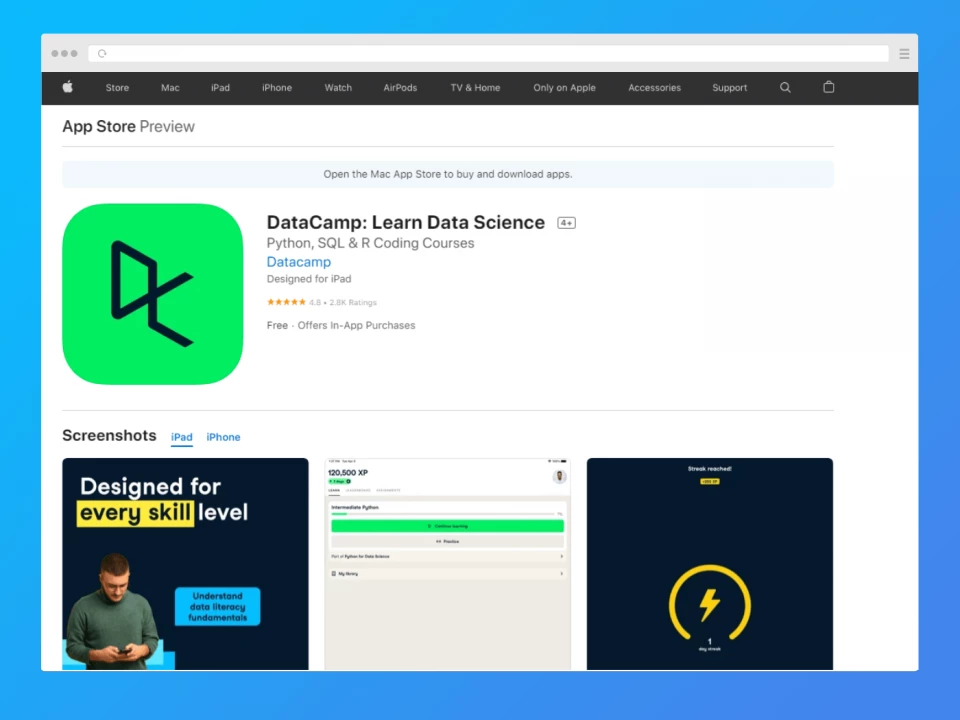
DataCamp focuses specifically on Python, R, and SQL for data science and analytics. It works best once you have decided on a data track; the depth and specificity are strong, but it is not the right starting point if you are still exploring what to learn. The mobile app works best as a companion to the full desktop platform rather than a standalone learning environment.
- Python, R, and SQL with a data-first focus
- Lesson paths built around real data workflows
- Better as a companion to the desktop platform than as a standalone app
Cost: Free; in-app purchases
Devices supported: Android, iOS
6. Sololearn
Best for programmers who learn by doing and want community support and peer feedback.

Sololearn teaches fundamentals through lessons and practice activities, then reinforces learning with community discussions and peer examples. If you get stuck, there are usually other learners who have hit the same wall and asked about it. The coding sandbox lets you write and run code directly in the app. For JavaScript specifically, real projects matter more than drills, and the ideas in our JavaScript projects guide give you something concrete to build.
- Practice quizzes, drills, and in-app code execution
- Community Q&A and peer examples for when you get stuck
- Covers multiple languages including Python, JavaScript, HTML, CSS, Java, C++
Cost: Free; in-app purchases
Devices supported: Android, iOS
7. Programming Hub
Best for learners who want to explore many programming languages before committing to one.

Programming Hub offers beginner-to-intermediate lessons across a wide range of languages. It works best for getting a baseline feel for a language before committing to a deeper course. Once you know which language fits your goals, check our guide to the best programming languages to learn to plan your next step.
- Wide language selection in one app
- Self-paced with no required sequence
- Good for exploration before narrowing to one language
Cost: Free; in-app purchases
Devices supported: Android, iOS
8. Codecademy Go
Best for existing Codecademy learners who want to review concepts and maintain momentum on mobile.

Codecademy remains one of our favorite course platforms for structured learning. The Go app is not a standalone product. It works best as a mobile companion for learners already progressing through a Codecademy course. Use it to review concepts, run practice drills, and maintain your streak between full desktop sessions. If you are not yet on Codecademy, start there before downloading the app.
- Lesson review, concept drills, and flashcards
- Streak and progress tracking tied to your main account
- Works as a companion to the desktop platform, not a replacement
Cost: Free; premium subscription available
Devices supported: Android, iOS
9. SpriteBox: Code Hour
Best for kids who want a game-like introduction to programming logic and sequencing.

SpriteBox teaches basic programming principles through puzzle-style gameplay: run, jump, and solve. It works well for younger learners who are not ready for text-based lessons but benefit from understanding sequencing and logic. For more options in this category, our full list of coding apps for kids covers additional tools.
- Game-like format with progressive challenges
- Teaches logic and sequencing without text-heavy lessons
- Good entry point for younger learners
Cost: Free; optional purchases
Devices supported: iOS
10. Hopscotch: Programming for Kids
Best for kids who want to build real projects: games, animations, and interactive stories.

Hopscotch lets kids learn programming concepts by building things: games, animations, and stories they can share. The block-based interface keeps the focus on logic and creativity rather than syntax. Available on iPhone, iPad, and Mac, which helps if your household runs Apple devices throughout.
- Block-based coding focused on building real, shareable projects
- Creative and open-ended, less structured than quiz-based apps
- Available on iOS and Mac
Cost: Free; in-app purchases
Devices supported: iOS, Mac
11. Swift Playgrounds
Best for learners who want to learn Swift and start building iOS apps on iPad or Mac.

If you are interested in iOS development, Swift Playgrounds offers a direct path from learning Swift basics to submitting simple apps to the App Store, all from an iPad or Mac. It uses interactive puzzles for the fundamentals, then shifts to guided projects that reflect real app development workflows. Pair it with a structured iOS development course once you are past the basics.
- Puzzle-based Swift fundamentals, progressing to real app projects
- Can submit simple apps to the App Store directly from the app
- Tightly integrated with the Apple development ecosystem
Cost: Free
Devices supported: iPad, Mac
How to choose the best coding app for you
The right app depends on what you want to learn and how you learn best. Run through these criteria before downloading anything:
- Language fit. Check that the app covers your target language. If you plan to take a Java course, confirm the app supports Java or at least covers the CS fundamentals that transfer.
- Content quality. Look for clear, structured lessons that stay current. Apps that have not been updated in two or more years tend to teach outdated syntax or deprecated approaches.
- Interactivity. Hands-on practice with immediate feedback matters more than reading or watching. Apps that make you write code, even in simplified sandboxes, which builds instincts faster than passive lessons.
- Pricing friction. Some apps lock meaningful practice behind paywalls after a very short free trial. Test the free tier first before committing to a subscription.
- Progress tracking. Streaks, milestones, and visible progress help with consistency. Apps that show you nothing are harder to stick with.
- Platform fit. If you are primarily on Android, iOS-only apps like SpriteBox and Swift Playgrounds are out. Check the platform column in the comparison table above.
If you are not sure where to start with courses once your app habit is solid, freeCodeCamp is a free, structured option that complements daily app practice well.
Can you really learn programming through an app?
Yes, with realistic expectations. Coding apps are strong for building fundamentals: variables, functions, loops, basic data structures, syntax. Many people get their first real foothold in programming through apps exactly like these.
The honest limitation: apps alone do not make you job-ready. Real fluency comes from building projects, debugging things that do not work, reading other people's code, and working through problems that have no guided answer. Apps give you the vocabulary; projects give you the fluency.
The most effective approach: use your coding app for daily practice, then take a structured course and build projects to develop real depth. Our community-rated Python tutorials directory is a good place to find what to tackle next.
Wrapping up
These are the best coding apps available in 2026 across Android, iOS, and iPad. Whether you are learning your first programming language or building a daily habit around skills you already have, each app above offers a free way to start.
For most beginners, Mimo is the strongest starting point. If you already know you want a data science path, DataCamp or Enki will serve you better. If you are on Apple hardware and want to build real iOS apps, Swift Playgrounds is in a category of its own.
Once an app gets you to consistent daily practice, the next step is deeper coursework and real projects. A structured course with real projects is the natural next step from there.
New to coding and want a structured path with real portfolio projects? Consider:
Dr. Angela Yu's 100 Days of Code: The Complete Python Bootcamp
Frequently asked questions
Which coding app is best for complete beginners in 2026?
Mimo is our top pick for complete beginners. Its lessons are short enough to finish in under five minutes, the pacing never assumes prior knowledge, and the streak system helps you build a consistent habit. Khan Academy is the best free alternative, especially if you also want to strengthen the math and logic foundations that support programming.
Which coding app is best for learning Python?
Mimo, Encode, and Sololearn all cover Python well at the beginner level. For a more focused data science angle, DataCamp's Python track goes deeper into pandas, NumPy, and data workflows. Whichever app you use, complement it with actual Python projects. That hands-on experience is where real understanding develops.
Which coding app is best for learning JavaScript?
Mimo and Sololearn both have solid JavaScript tracks for beginners. Codecademy Go works well if you are already doing JavaScript on the Codecademy platform and want to review on mobile. For deeper learning, move quickly to building real things. Our JavaScript projects guide has practical ideas for every level.
Can you really learn to code using only a mobile app?
You can learn the fundamentals, like syntax, basic logic, and how variables and functions work, through apps. Many people get their start exactly this way. To become job-ready, you need to add longer-form projects, debugging practice, and ideally a structured course or curriculum. Apps give you the daily reps; projects give you the depth.
Which coding apps are completely free?
Khan Academy and Swift Playgrounds are completely free with no in-app purchases or premium tiers. Sololearn, Mimo, Encode, and SpriteBox all have meaningful free tiers, though they offer paid upgrades. When evaluating free apps, look at how much of the core learning content is locked; some apps put the most useful lessons behind a paywall after a brief trial.
Are coding apps good for kids?
Yes, several are designed specifically for younger learners. SpriteBox uses puzzle-style gameplay to teach logic and sequencing without requiring kids to read much code. Hopscotch lets kids build their own games and animations using block-based coding. Khan Academy also works well for kids who are ready for more structured lessons. Our full guide to coding apps for kids covers additional options.
What happened to Grasshopper?
Google discontinued Grasshopper in 2023. The app was taken down and is no longer available for download or use. If you see it recommended on an older "best coding apps" list, that list has not been updated. Mimo or Khan Academy are strong alternatives that cover similar ground for JavaScript beginners.
References
1. U.S. Bureau of Labor Statistics. Data Scientists, Occupational Outlook Handbook [Internet]. BLS; accessed 2026 Feb 11.
2. U.S. Bureau of Labor Statistics. Fastest Growing Occupations [Internet]. BLS; accessed 2026 Feb 11.
