
Setting up spine-godot with C#
October 2nd, 2023
This blog post briefly explains the steps to get started using C# with spine-godot and how it differs from using GDScript.
- Installation
You can download our pre-built Godot 4.1 editor and export template binaries with C# support from the C# project setup
To use our Godot editor binaries with C# support, you need to take an extra step when setting up a new Godot project:
1. Create a Godot project
First, create a new Godot project using the downloaded Godot editor binary that has C# support.

Failed to load .NET runtime
If the Godot editor fails to load the .NET runtime, the following error message will appear at startup:
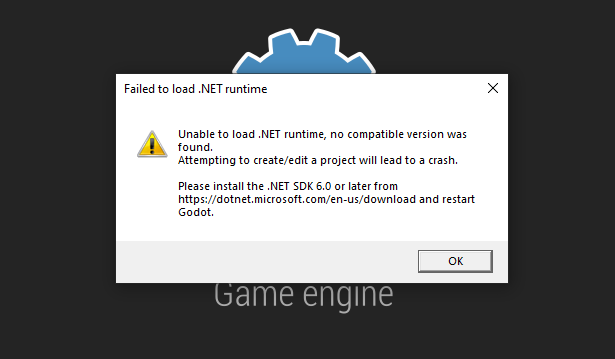
As described in the message, please install the .NET SDK 6.0 or later from 2. Create a godot-nuget folder
Close Godot and open your project folder. In the root directory, create a new folder called
godot-nuget.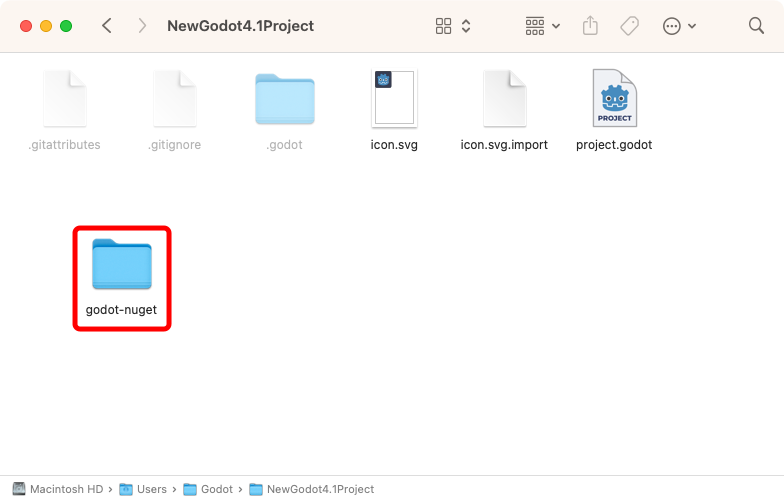
3. Copy the C# assemblies
Copy the Godot C# assemblies into the
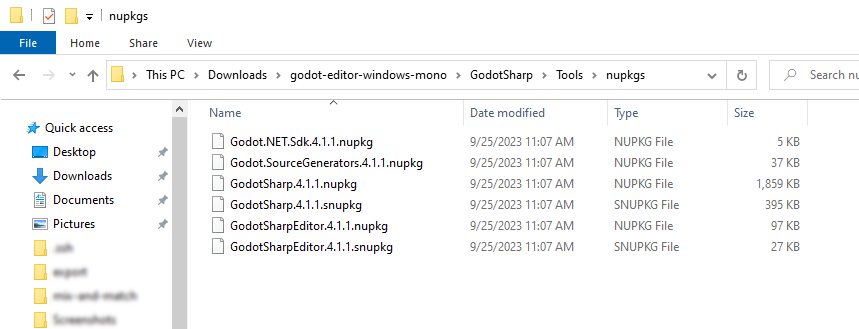
godot-nugetfolder. If you are using Windows or Linux, you can find the assemblies in the downloaded Godot editor ZIP file:- Windows:
godot-editor-windows-mono.zip\GodotSharp\Tools\ - Linux:
godot-editor-linux-mono.zip/GodotSharp/Tools/
If you are using macOS:
- macOS: Navigate to
Godot.app/Contents/Resources/GodotSharp/Tools/by right clicking theGodot.appfile in Finder, selectShow Package Contents, then navigate toContents/Resources/GodotSharp/Tools/.

Copy the following files into your
godot-nugetfolder:GodotSharpEditor.<version>.snupkgGodot.NET.Sdk.<version>.nupkgGodot.SourceGenerators.<version>.nupkgGodotSharp.<version>.nupkgGodotSharp.<version>.snupkgGodotSharpEditor.<version>.nupkg
The
<version>depends on which Godot version you downloaded, e.g.4.1.1.
4. Create a nuget.config file
Finally, create a new file called
nuget.configin the root directory of your project with the following content:<configuration>
<packageSources>
<!-- package source is additive -->
<add key="godot-nuget" value="./godot-nuget" />
</packageSources>
</configuration>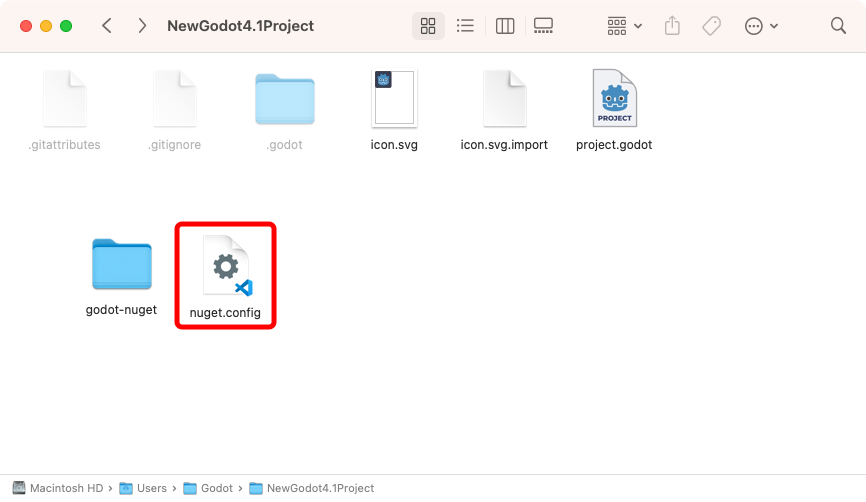
This configures the
godot-nugetdirectory to be a package source for NuGet packages. Instead of fetching the official Godot C# assemblies from the NuGet package registry, the assemblies from thegodot-nugetdirectory will be used, which also include the C# bindings for the spine-godot runtime.
You can now open your project in Godot and use the Godot and spine-godot C# APIs instead of GDScript!
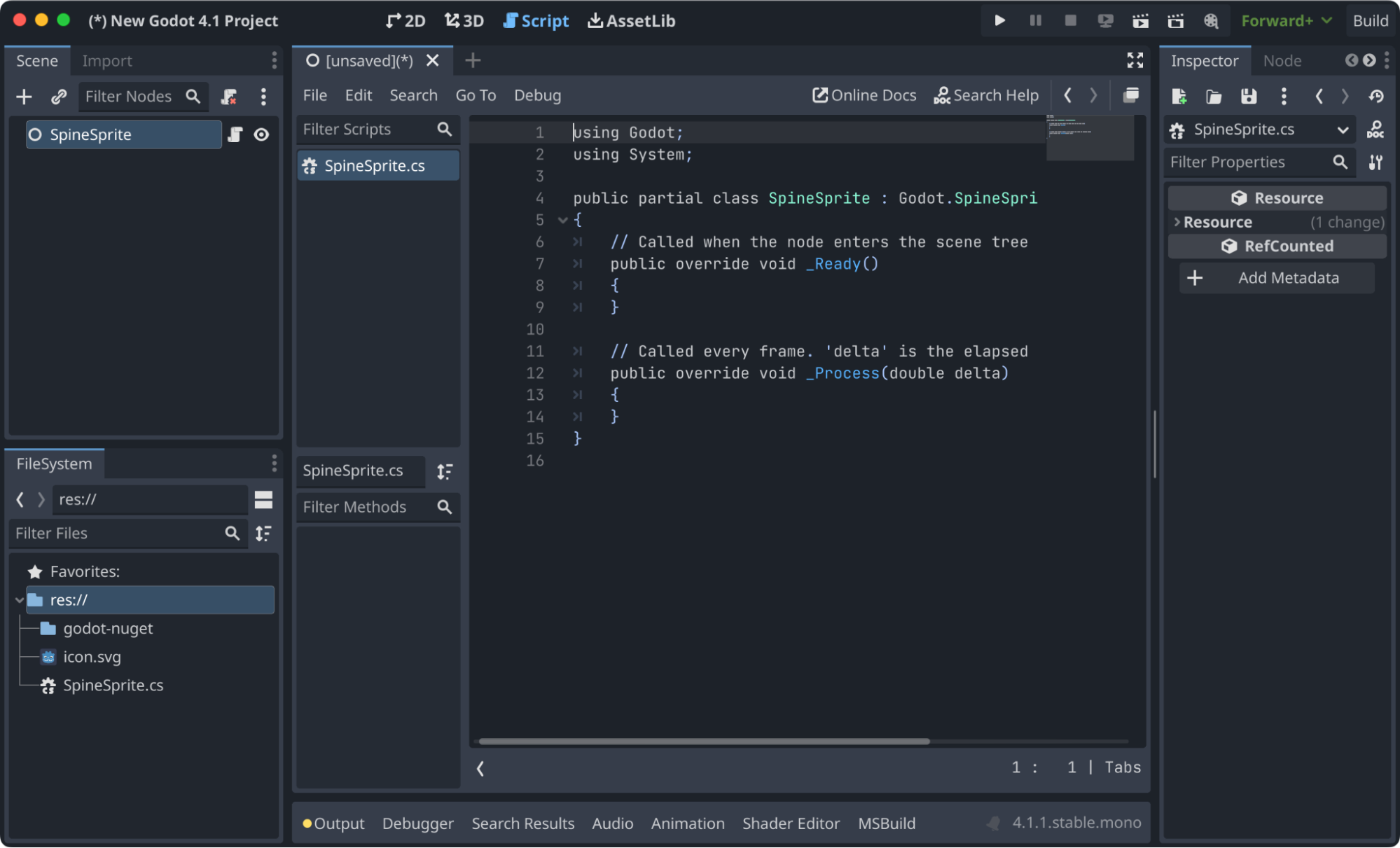
Animate a skeleton with C#
Here is simple example code to animate a Spine skeleton with a C# script attached to a C# examples
To inspect and experiment with the C# examples for spine-godot:
- Clone the spine-runtimes Git repository or download the latest version as a ZIP and unzip it.
- Open the
spine-runtimes/spine-godot/example-v4-csharp/folder and click theproject.godotfile to open it.

You can find various example scenes and scripts using C# under the
examplesfolder in the FileSystem dock.
If you are having trouble using spine-godot with C# support, don't hesitate to post your questions on the Spine Forum!
- Windows: